Richard Burns Rally in 2026: installing it with RallySimFans and setting up wheel and handbrake
Richard Burns Rally came out in 2004 and thousands of people still search for it every month. It isn’t nostalgia. Thanks to RallySimFans, a Hungarian community that has been maintaining it for years, today it’s a free rally sim with a huge number of stages, modern cars, updated physics and online leaderboards. Here’s how to install it without hiccups and how to set up wheel, shifter and handbrake.
A game with a name that carries weight
Richard Burns was world rally champion in 2001, with Subaru. The game that bears his name was developed by the British studio Warthog and soon became the reference for anyone who wanted believable gravel driving. Burns died in 2005, aged 34. The game, on the other hand, never stopped being played.
What RallySimFans is
RallySimFans (RSF) is the project that took the original game and turned it into a platform. The installer includes the base game, all supported stages and the components needed to run it on today’s PCs; cars download the first time you use them. On top sits the NGP physics, updated for years by a community developer, and a launcher where you set graphics, controls and force feedback.
You don’t pay anything. Some authors of individual cars or stages accept donations, but they’re voluntary and not run by RSF. For leaderboards, online rallies and seasons you need an account on the site.
Installing it: the steps
Everything starts from the download page at rallysimfans.hu. The game is Windows only.
- Download the torrent with the install files and let it reach 100%. Until it’s complete, the installer is no use.
- Download the RallySimFans installer from the same page. You need it both for the first install and for updates.
- Choose the folder carefully. Not inside C:Program Files or C:Program Files (x86), and not in Documents, Desktop or Downloads either. Use a simple path, for example C:GamesRBR, without accented letters or symbols.
- Stay online during the install and on first launch, when the game downloads the cars.
- Always start from the RallySimFans launcher, not from the game executable: settings and updates go through it.
The mistakes we see most often
- Wrong folder. Windows’ protected folders block writing files and the game behaves strangely. It’s the first thing to check when something’s off.
- Incomplete torrent. If you run the installer before the download has finished, pieces are missing.
- Other modded versions in the same folder. RSF shouldn’t be installed on top of other RBR mods (such as the Czech and French versions): give it its own folder.
- Antivirus. Sometimes it quarantines game files. If that happens, add the RBR folder to the exceptions.
Wheel, pedals and shifter
Controls are assigned inside the game, in the Options menu, under Controls: steering, throttle, brake, clutch, handbrake, gear up and gear down, plus individual gears if you use an H-pattern shifter. In recent RSF versions you also need to assign the ignition (IGNITION): without it, the engine won’t start.
Everything else is in the RallySimFans launcher. The Controls tab holds the wheel rotation range, the shifter options and the force feedback ones; in the MyCars tab you set, car by car, force feedback sensitivity and steering lock.
Two launcher options worth knowing:
- Prevent repeated shift events, in Controls: ignores repeated shifts within a few milliseconds. Useful if your shifter sometimes skips two gears instead of one.
- Use automatic gearbox: an automatic, handy for the first runs while you’re still finding your feet.
Force feedback
Start low. Force feedback sensitivity is set per car in the MyCars tab, and it’s worth going up step by step until you feel the surface without the wheel snatching. If the wheel oscillates on its own on the straights, the Controls tab has FFB deadzone options designed exactly to filter those oscillations. If the wheel feels delayed, Controls also has the rate at which the game updates controls and force feedback.

Why a progressive handbrake matters in RBR
RBR reads how far you’re pulling the lever, and the physics uses that value finely: you can just brake the rear wheels to tighten a hairpin, or lock them to spin the car on the spot. With a button, or an on/off handbrake, there’s only full lock. In a game where the difference between a clean hairpin and a bad one is all in that modulation, half the fun goes out of the window.
The RSF people know it too. The launcher has an option that holds the start countdown until you pull the handbrake to at least 80%, the way you do at a real start.
To assign it: in Options, under Controls, select the handbrake and pull the lever all the way. The game registers it as an axis, a value running from zero to maximum, not as a button.
The combo we recommend for RBR
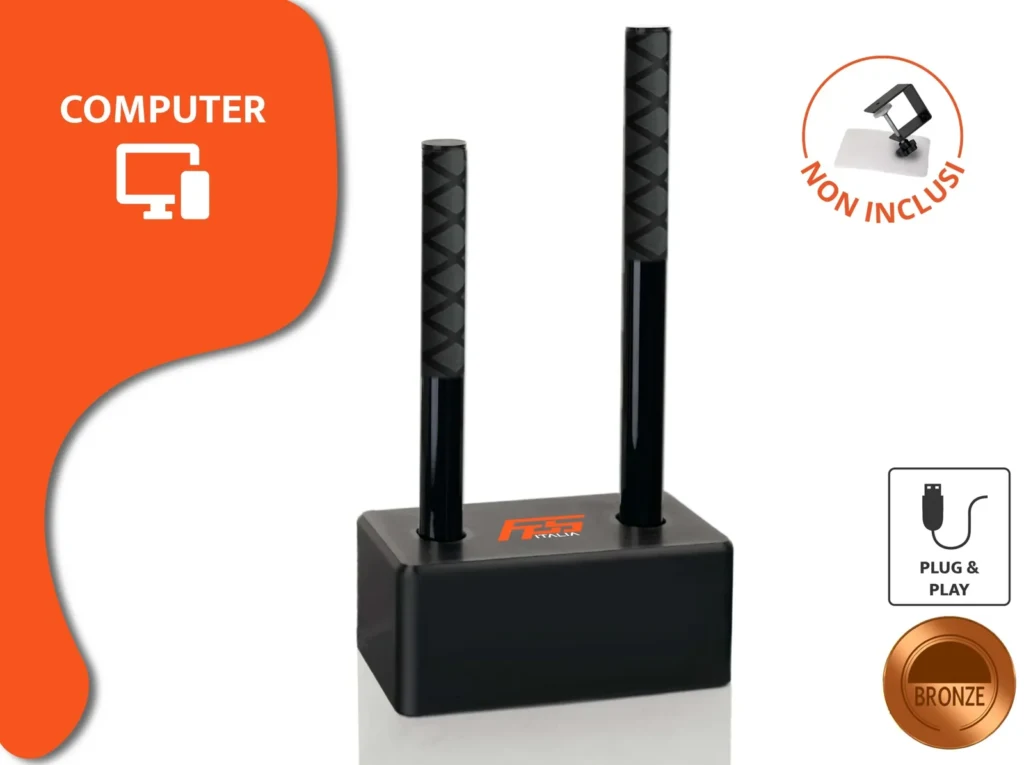
RBR is a PC game, and on PC our PC combo connects over USB and works with any wheel. In the configurator choose the analogue progressive handbrake: for Richard Burns Rally it’s the right one. The sequential shifter sits in the same base, for modern cars; for classics with an H-pattern you can use your wheel’s shifter alongside it.
If you want to compare RBR with the other games in the genre, we’ve lined them up in our article on the best rally games. To mount levers and wheel properly, there’s our sim racing cockpit guide.
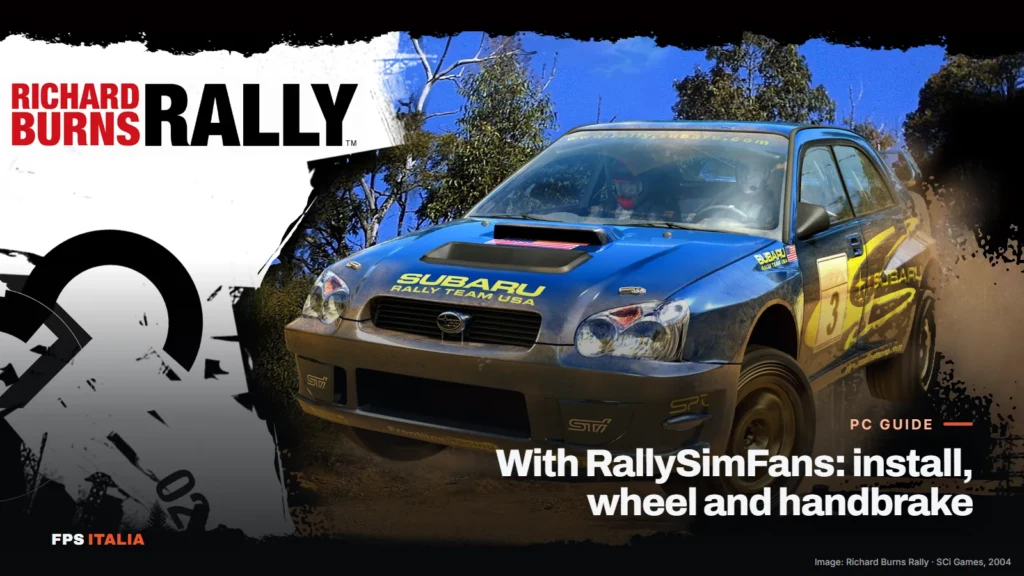
Cover image: official Richard Burns Rally wallpaper (SCi Games, 2004), from the game’s official website.
Frequently asked questions
Is Richard Burns Rally free?
With RallySimFans, yes: the installer includes the base game and the stages, cars download on first launch and you pay nothing. Any donations to authors of individual cars or stages are voluntary.
Do you need to register on RallySimFans?
For leaderboards, online rallies and seasons you need an account on rallysimfans.hu.
Does Richard Burns Rally work on PS5 or Xbox?
No, it's PC only, on Windows.
Why is a progressive handbrake recommended for RBR?
Because the game reads how far you pull the lever: with a progressive handbrake you can just brake the rear wheels or lock them completely. With a button or an on/off handbrake it's always all or nothing.
The wheel oscillates on its own on the straights: what do I do?
Lower the force feedback sensitivity for that car in the launcher's MyCars tab, and try the FFB deadzone options in the Controls tab, which are designed precisely to filter those oscillations.